Skip to content

Behringer DCX2496 remote control · Mac, Windows, iPad, phone MikroDCX

The DCX2496. Finally easy to use.

The DCX2496 sounds superb – but you operate it through a tiny display and a data wheel. MikroDCX puts a modern interface on top: in the browser on iPad, phone, Mac and PC, no app to install, everything live and in sync.

The MikroDCX console with channel strips and level LEDs

Video

MikroDCX in three minutes.

Console, EQ and RTA, system check, calibration, limiter monitor, iPad and cable – everything shown in the simulator. With music by Michael Suding.

Ready in 5 minutes

Plug in. Double-click. Play.

One computer sits at the DCX, every other device connects over Wi-Fi – no app to install.

  1. RS-232

    Plug in

    USB-serial cable into the RS-232 port on the back of the DCX. On the unit: SETUP › Miscellaneous › PORT: PC (RS232).

  2. ▶

    Start

    Double-click “MikroDCX starten”. MikroDCX finds the DCX on its own and loads all settings.

  3. PIN

    Pair your iPad

    Open the address on the same Wi-Fi and enter the PIN – the device stays paired.

  4. ✓

    Check and go

    Read the system check, calibrate, play.

Console

Every input and output as a channel strip – with LED meters and LIMIT lamp live from the unit.

  • Level LEDs and LIMIT lamp straight from the DCX, 12 times per second
  • Gain as seven-segment display, faders that never jump
  • ALL MUTE always within reach, lock with one tap
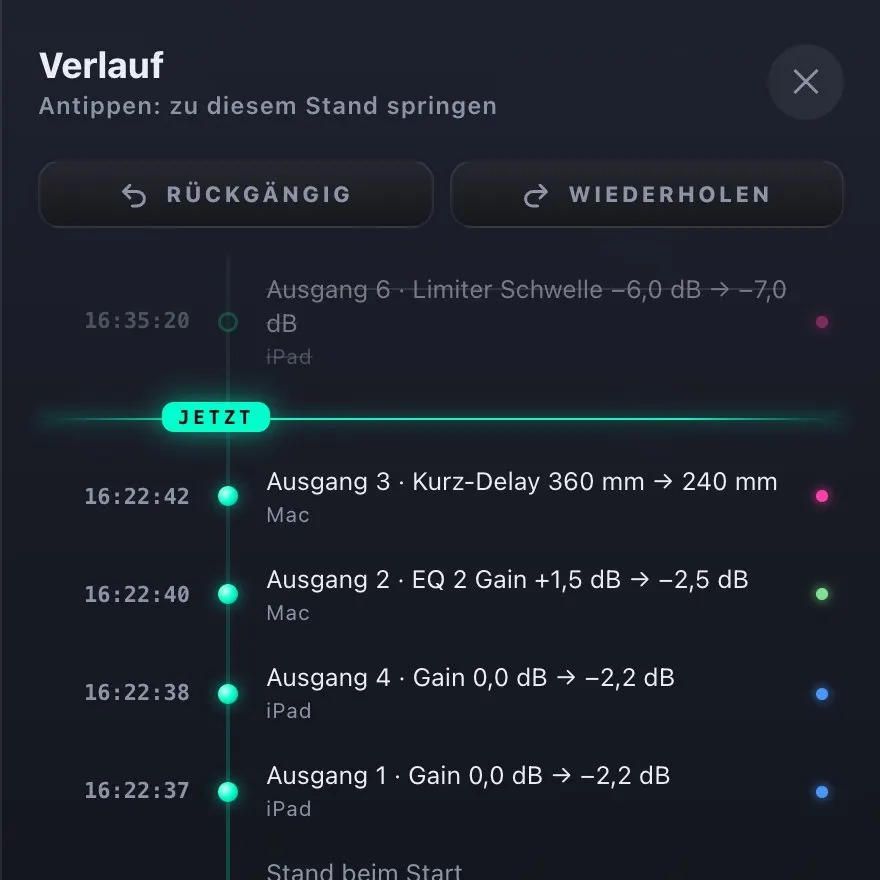
  • Undo and history for every change – even those made on the DCX itself
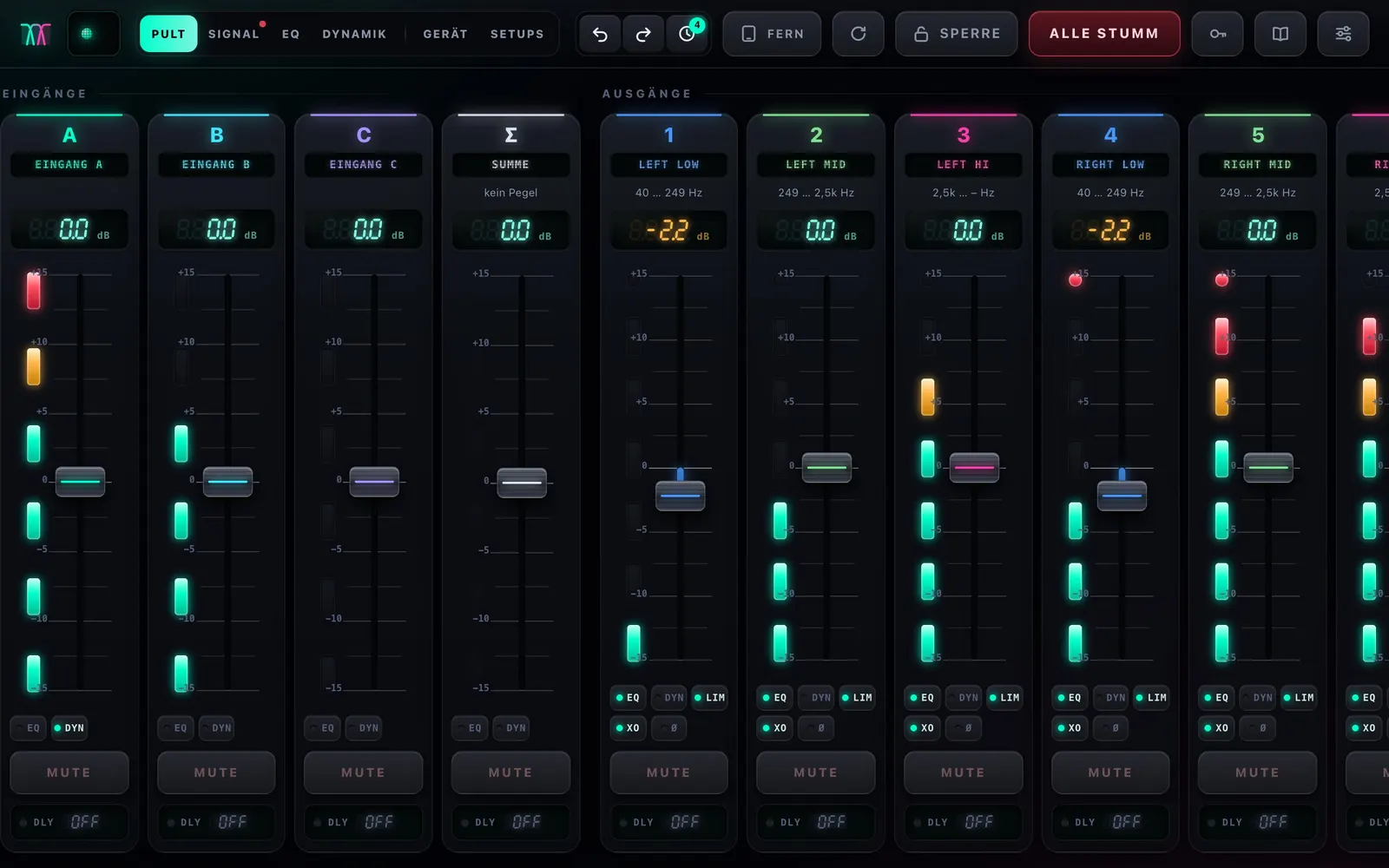
Console with channel stripsHistory of all changes

EQ, crossover and RTA

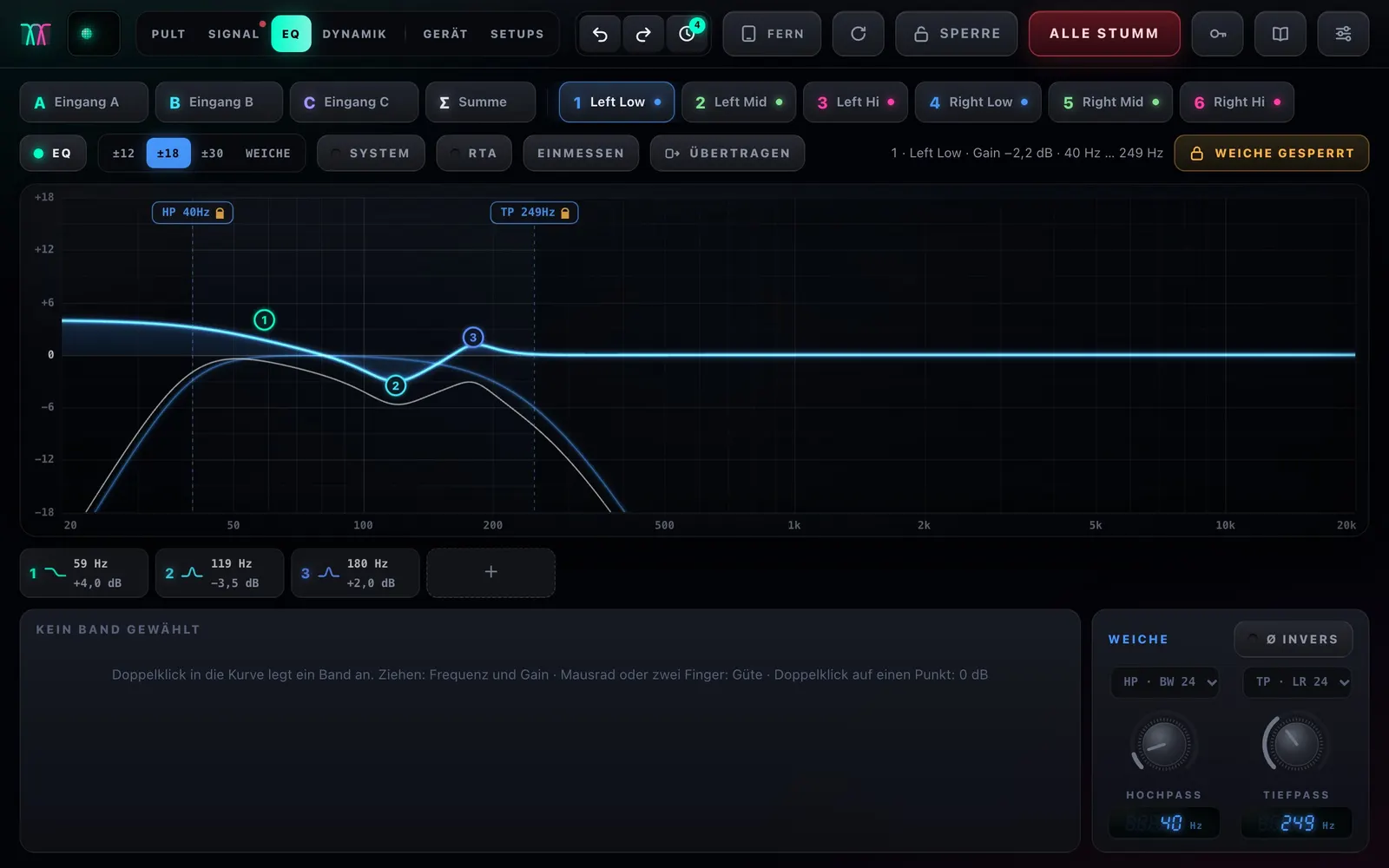
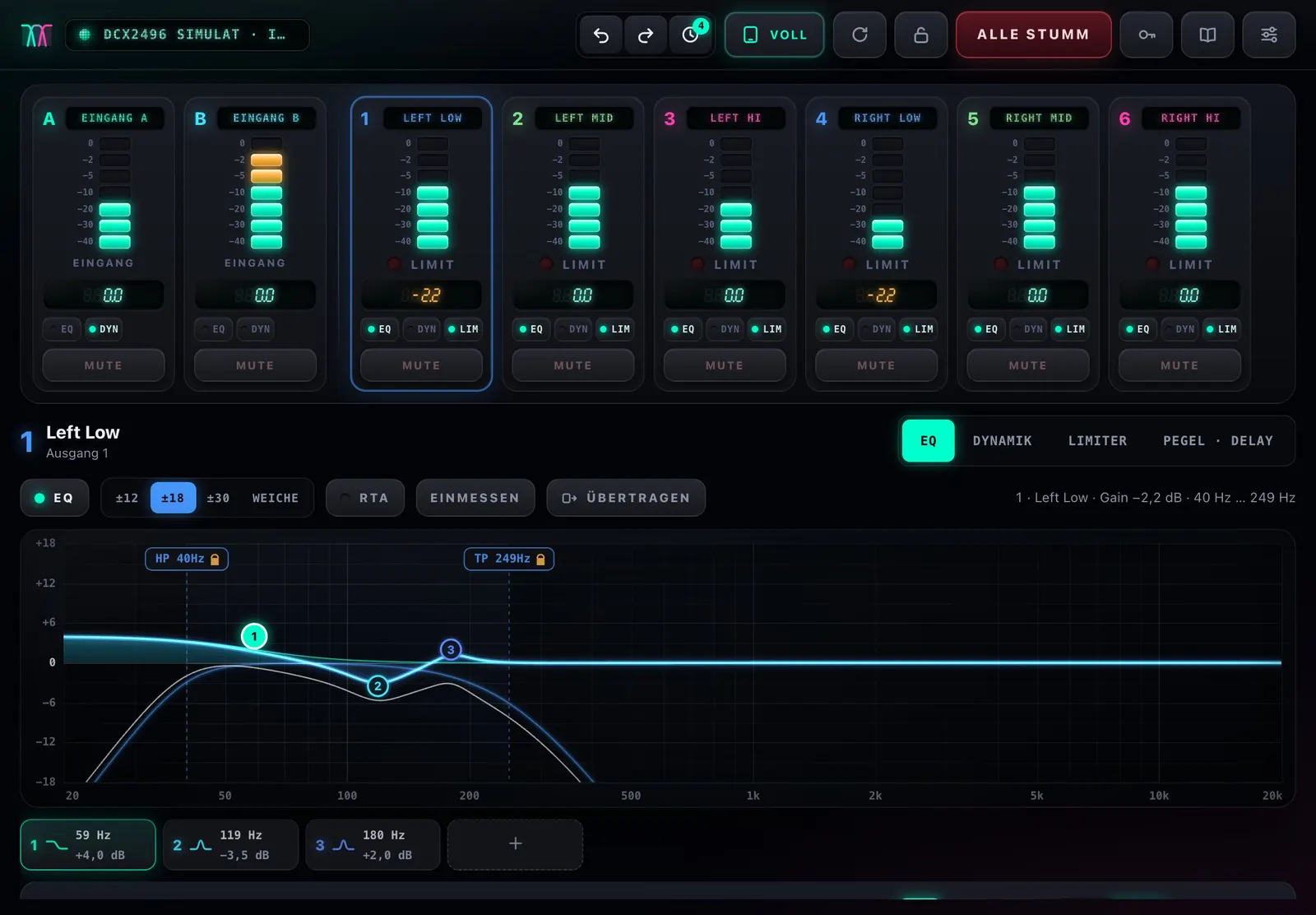
Works like a modern EQ app – values snap to the unit’s own tables.

  • Up to 9 bands per channel: bell, low and high shelf
  • Crossover with Butterworth, Bessel and Linkwitz-Riley, plus polarity
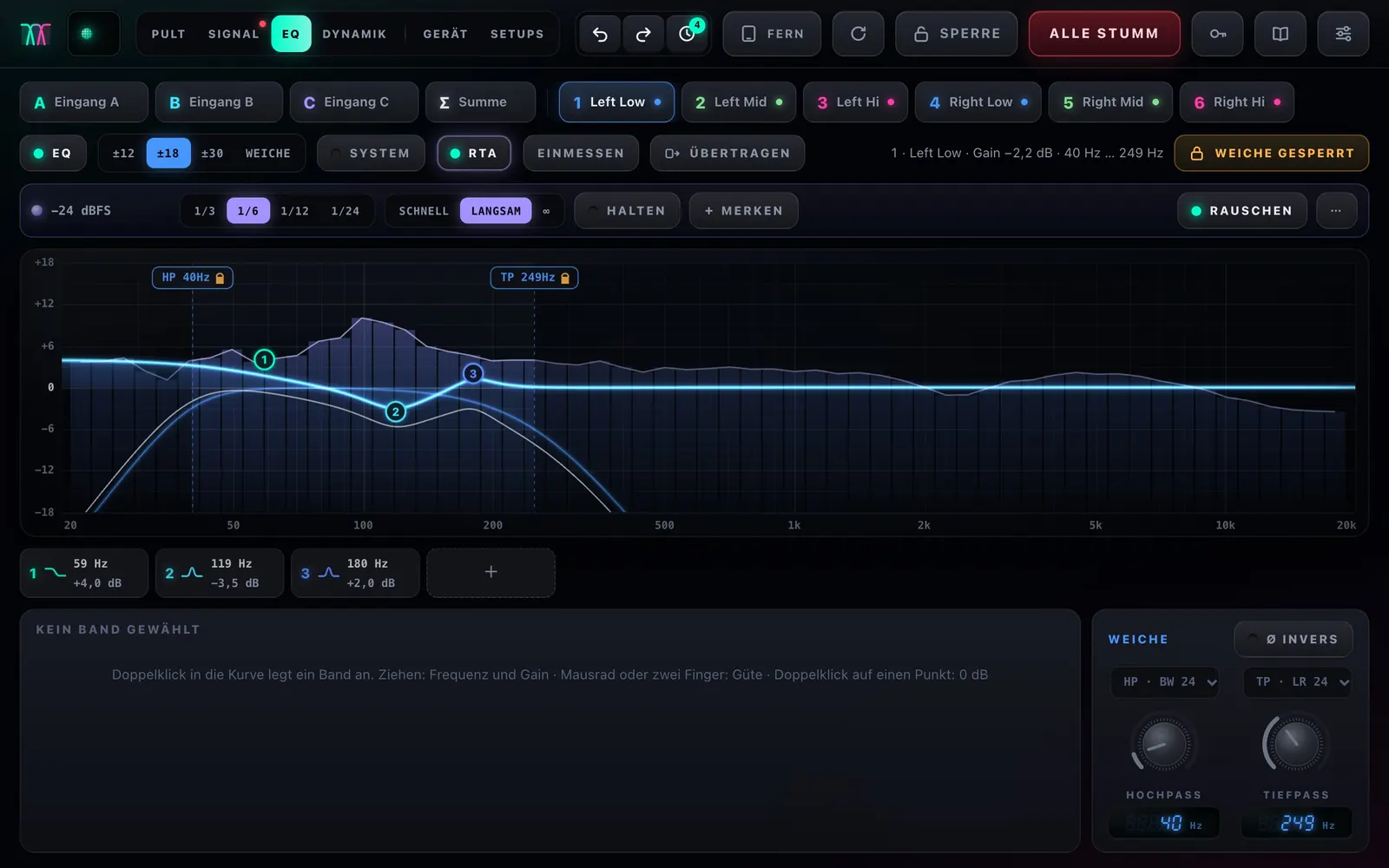
  • RTA from 1/3 to 1/24 octave right under the EQ curve
  • Copy and link: same tops, same sound
EQ curve with bandsRTA under the EQ curveCopy and link settings

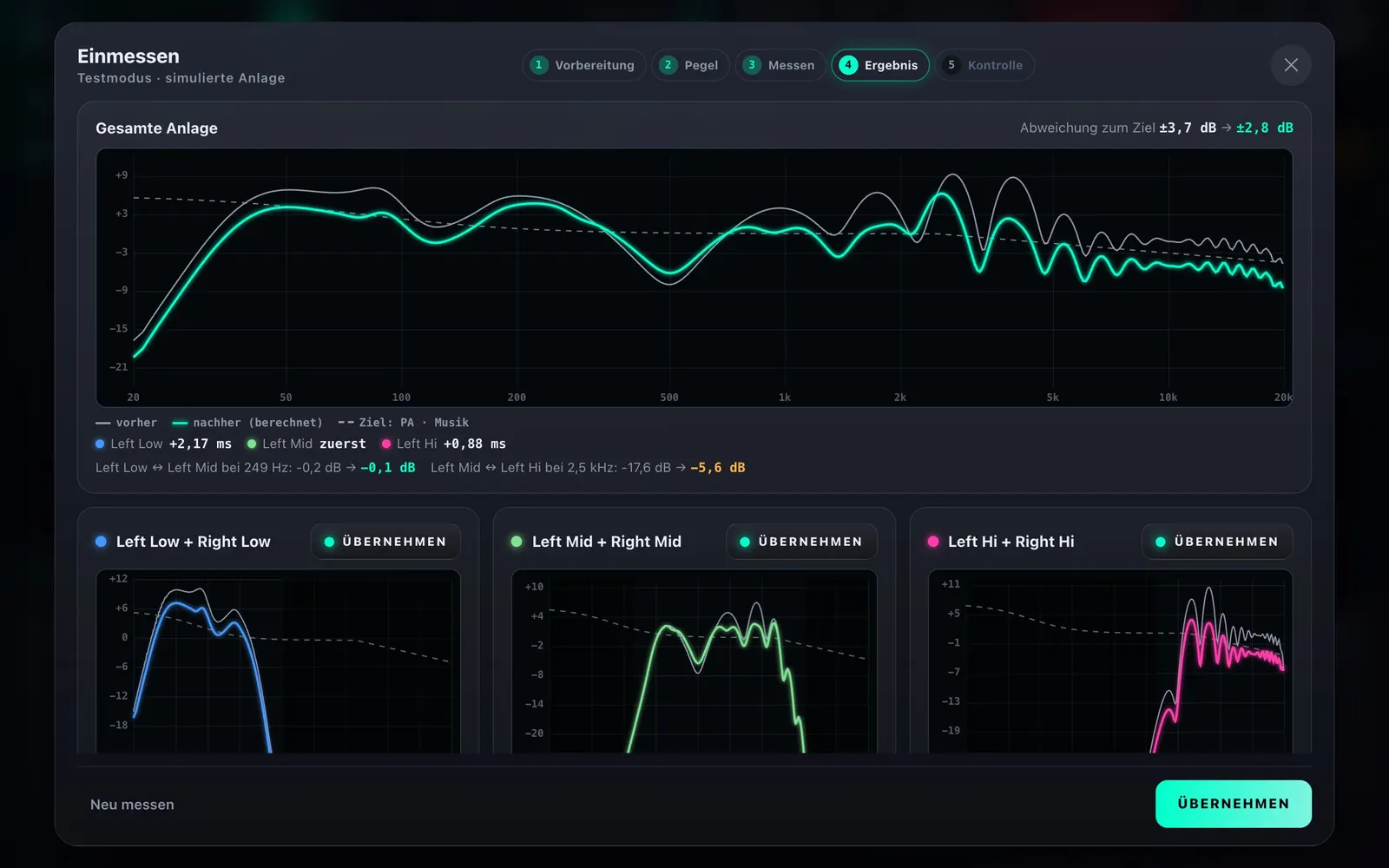
System check and calibration

The whole system at a glance – and what’s wrong with it.

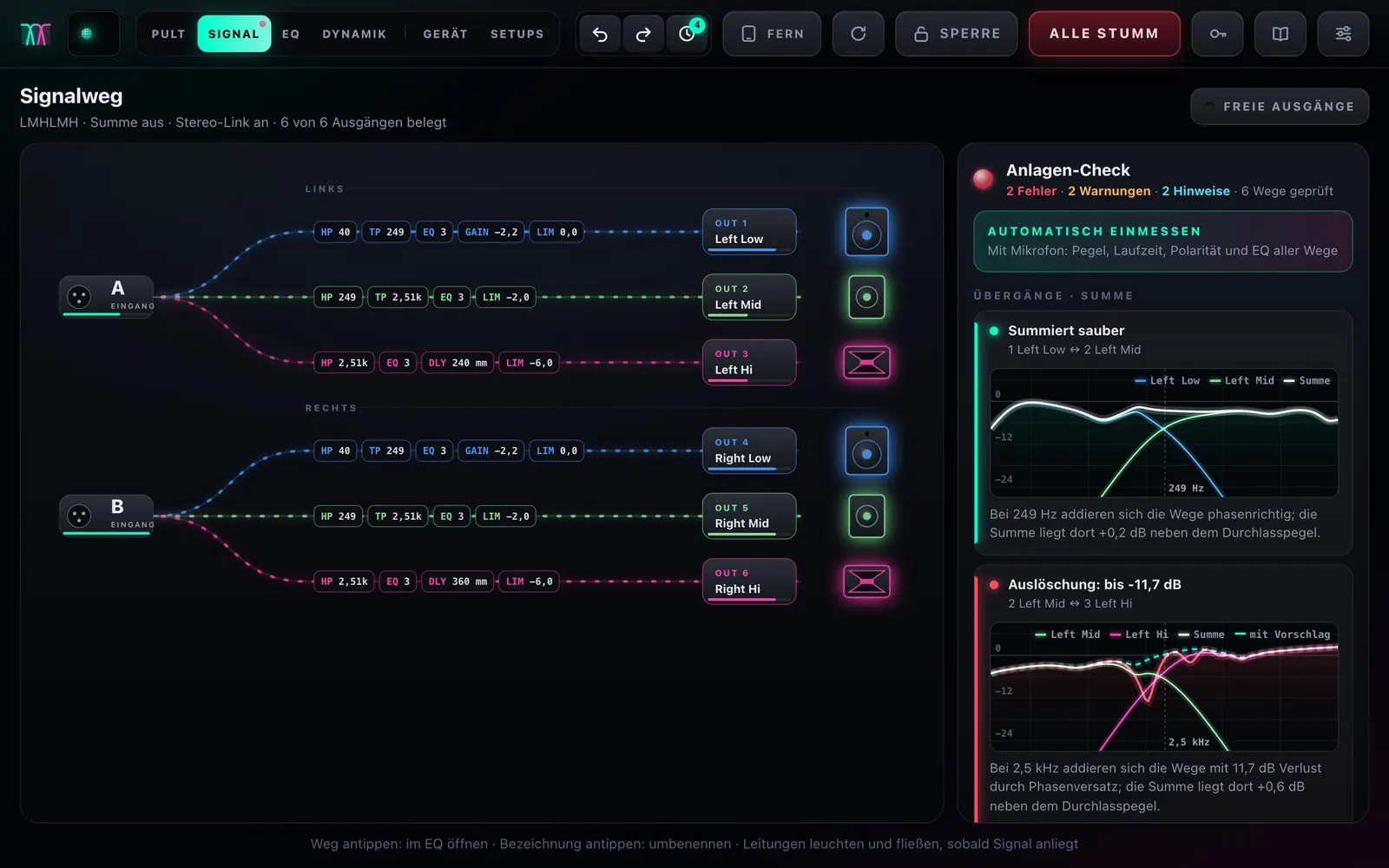
  • Signal path from the inputs through all processing to the speaker
  • Traffic light for unprotected tweeters, subs without subsonic filter, limiter off, uneven sides
  • Summing check for every crossover point with phase – see cancellations before you hear them
  • Automatic calibration: level, delay, polarity, EQ – and the crossover if you like
Signal path with system checkAutomatic calibration

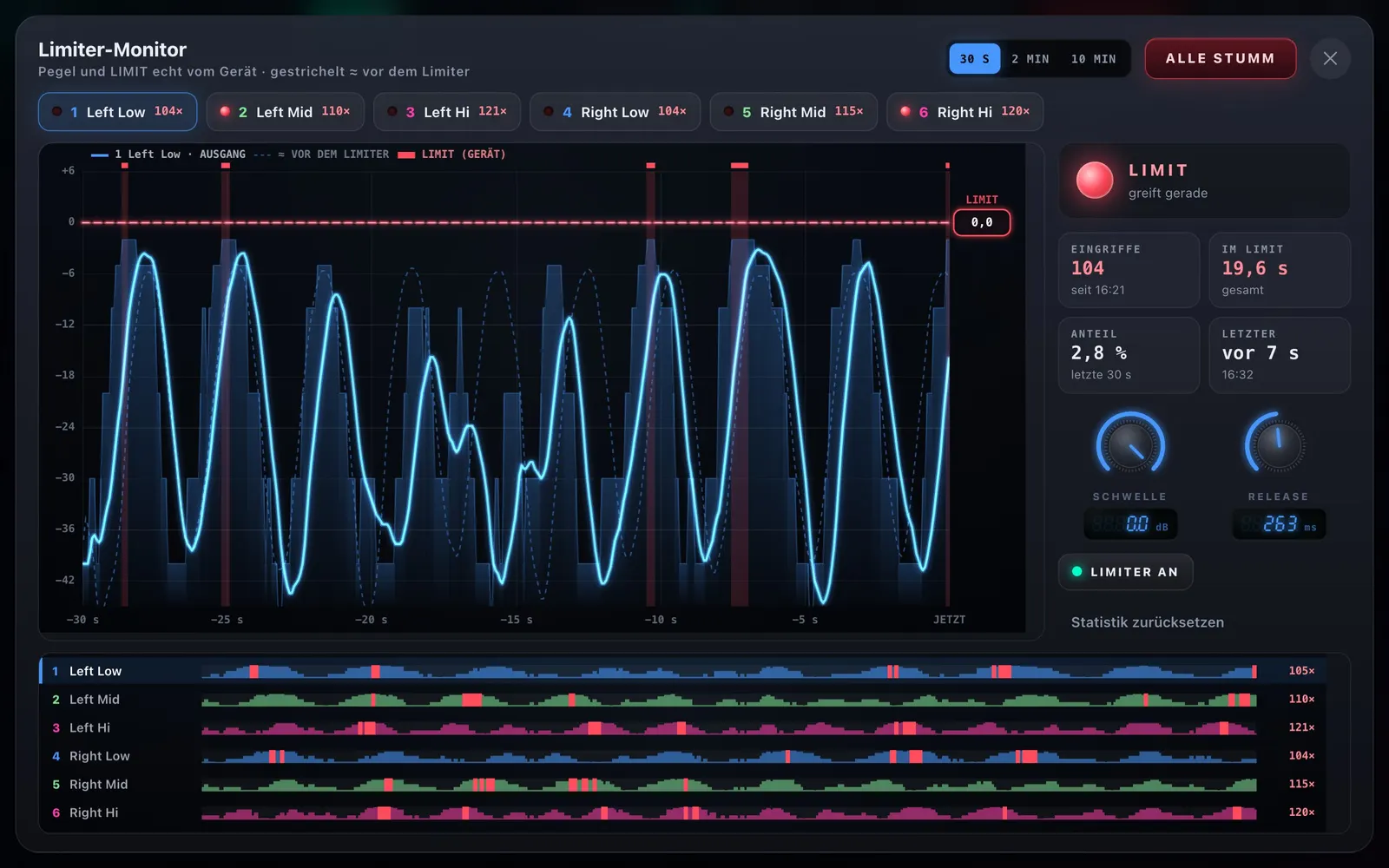
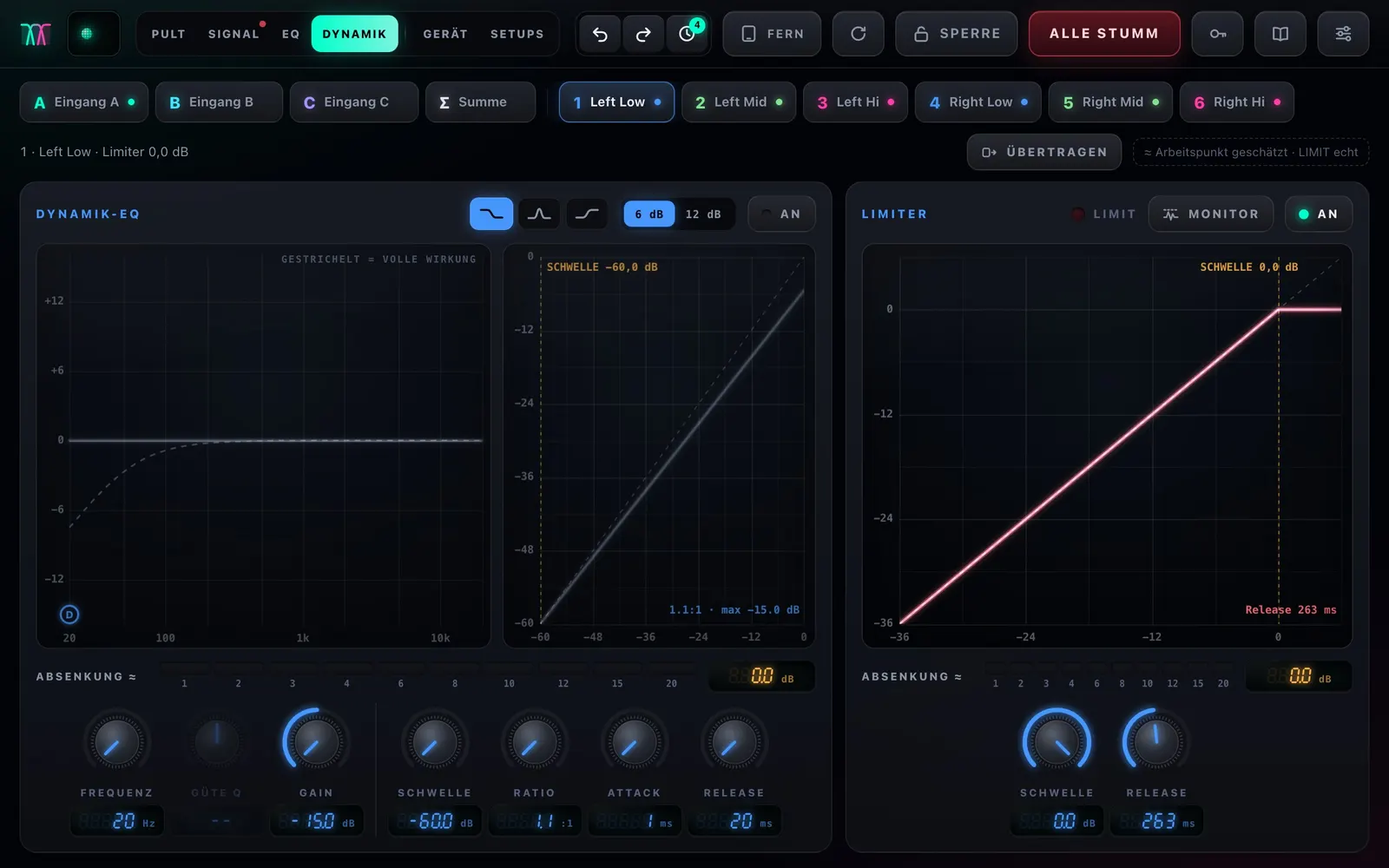
Dynamics and limiter monitor

See when and how hard the limiter really works.

  • Dynamic EQ and limiter per channel
  • Level graph of the last 10 minutes with every real limiting event
  • Drag the threshold right in the monitor
  • Tweeter and limiter protection, switching on only after confirmation
Limiter monitorDynamics and limiter

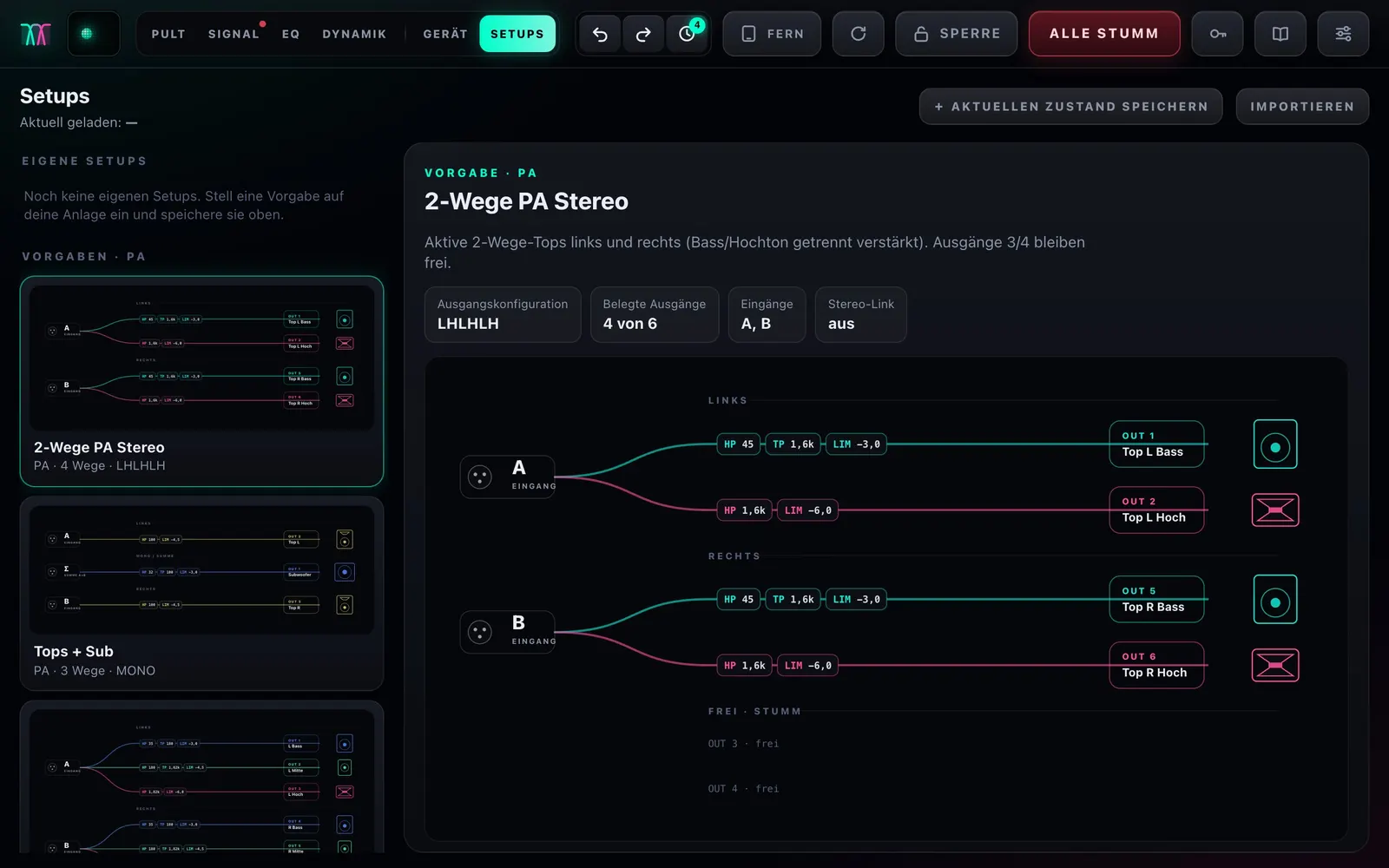
Setups and device

From the first setup to a fixed installation.

  • 12 system presets from “tops + sub” to monitor sends
  • Adjust, save, export, share
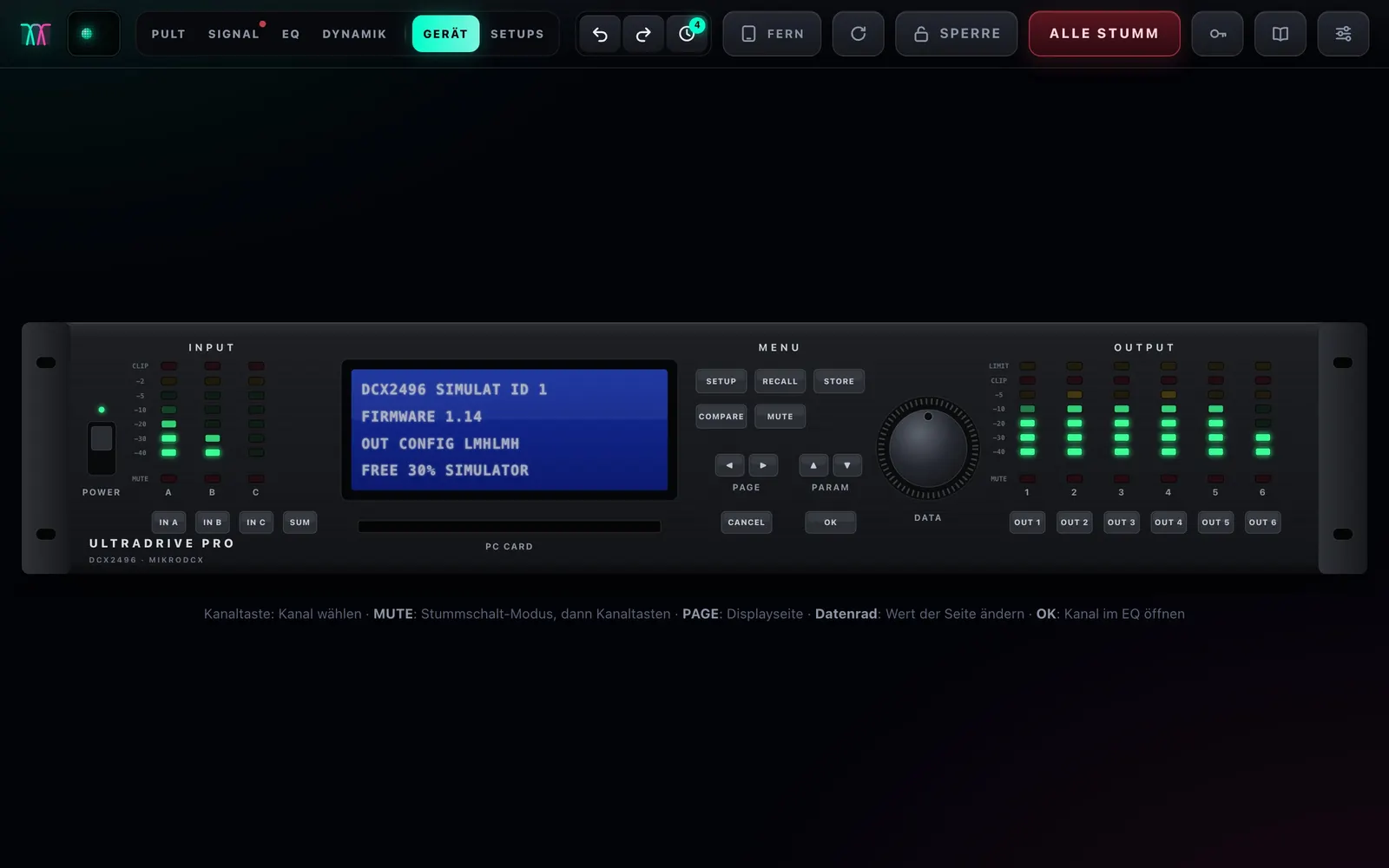
  • The unit’s front panel with live LEDs and display
  • Try it without a DCX: simulator included
System presetsFront panel of the DCX2496

Remote

iPad, phone, computer. All live, all in sync.

One computer runs at the DCX, every other device simply opens the address in its browser – iPad, Android, iPhone, Mac and PC. Pairing uses a PIN, with roles for full control, levels only or view only.

MikroDCX as a remote on the iPad
iPad
MikroDCX on a phone
Phone

Cable

The right cable.

MikroDCX talks to the DCX2496 through its RS-232 port. You need a USB-to-serial cable with a 9-pin D-sub connector. These two fit:

No driver

DIGITUS USB-C to serial (DA-70157)

FTDI chip: no separate driver installation on Mac or Windows.

  • USB-C to D-sub 9, 1 m
  • FTDI FT232RL chipset
  • Mac: supported out of the box · Windows: driver installs automatically
View on Amazon

Tested

UNITEK USB-C to RS-232 (Y-1105K)

MikroDCX was developed and tested with this cable.

  • USB-C to RS-232, 1.5 m
  • Prolific PL2303 chipset
  • Mac: needs the “PL2303 Serial” app from the App Store
View on Amazon

On the DCX: SETUP › page Miscellaneous (6/6) › PORT: PC (RS232). The cable goes into RS-232, not LINK. The DEVICE ID doesn’t matter – MikroDCX finds it. Amazon links without commission.

Buy

Get MikroDCX.

Order by e-mail: you’ll receive the download link and an invoice. The online checkout is coming soon.

Available

MikroDCX – download

Launch price on request

For Mac and Windows. One computer runs at the DCX, iPad and phone connect over Wi-Fi.

  • Mac with Apple silicon or Intel
  • Windows 10/11 (64-bit) – beta
  • Simulator to try it without a unit
  • Quick start guide as PDF (German)
Order by e-mail

Safety: calibration and RTA play test signals through the system. Start with the amps turned down, match the limiters to your amplifiers and protect your hearing. MikroDCX protects tweeters and limiters and keeps ALL MUTE within reach – responsibility for levels and settings remains with the user.

MikroDCX start screen

Quick start

Every view explained with pictures.

The quick start guide for MikroDCX 0.7: ready in five minutes, then every view with a picture, safety, cheat sheet and troubleshooting. Currently in German.

Download quick start (PDF, 4.8 MB)

FAQ

Frequently asked questions.

Do I need an app?

No. MikroDCX runs in the browser. One computer (Mac or Windows) is connected to the DCX by cable; iPad and phone simply open the address on the same Wi-Fi.

Does it work with the DCX2496 LE?

Yes, MikroDCX supports the Behringer DCX2496 and the LE version.

Which cable do I need?

A USB-to-RS-232 cable with a 9-pin D-sub connector, for example one of the two above. It goes into the RS-232 port on the back of the DCX, not LINK.

What do I need to set on the DCX?

Press SETUP on the unit, go with PAGE to the Miscellaneous page (6/6) and set PORT to PC (RS232). The DEVICE ID doesn’t matter.

Can I try MikroDCX without a unit?

Yes. The simulator starts a virtual unit with its own data folder – real setups stay untouched.

How does calibration work?

Place a microphone at the listening position: MikroDCX measures level, delay, polarity and EQ, and the crossover if you like. On the computer it works right away; for the microphone on an iPad you install the MikroDCX certificate once.

Can I undo changes?

Yes. Every change is in the history – even changes made directly on the DCX.

Does MikroDCX run on Windows?

Yes, on Windows 10 and 11 (64-bit), currently as a beta.

Behringer and DCX2496 are trademarks of Music Tribe Global Brands Ltd. MikroDCX is an independent product and not affiliated with the manufacturer.